Aptive Environmental Sales Planning
Turning territory data into decisions about where teams should work next
Sales leaders needed more than a record of where teams had been. I designed a desktop planning experience that brought market opportunity, canvassing activity, rep ownership, and editable territories into one map-based workflow.
- Role and collaboration
- I owned workflow definition, information architecture, interface design, prototyping, usability testing, Engineering handoff, and implementation review, partnering with Product, Sales Operations, and Data.
- Status
- Released to production with positive qualitative feedback
Overview
Turning a tracking tool into a planning tool
The Sales Planning Tool existed before I joined Aptive, but it primarily showed where sales reps and technicians had worked. As the product expanded, managers needed help deciding where teams should go next.
Sales Operations and managers lacked one clear view of promising areas, prior canvassing, rep ownership, and territory constraints. Product requirements also called for leaders to inspect outcomes, isolate individual reps, adjust territory borders, and understand assignment ownership.
Most problem evidence came through Product and Sales Operations, with occasional direct feedback from sales representatives. I also worked with the Data team to translate regional market signals into usable map layers.
If the map revealed opportunity, activity, performance, and ownership at the appropriate level of detail, managers could make faster and more confident territory decisions.
Planning system
One map needed to support three levels of planning
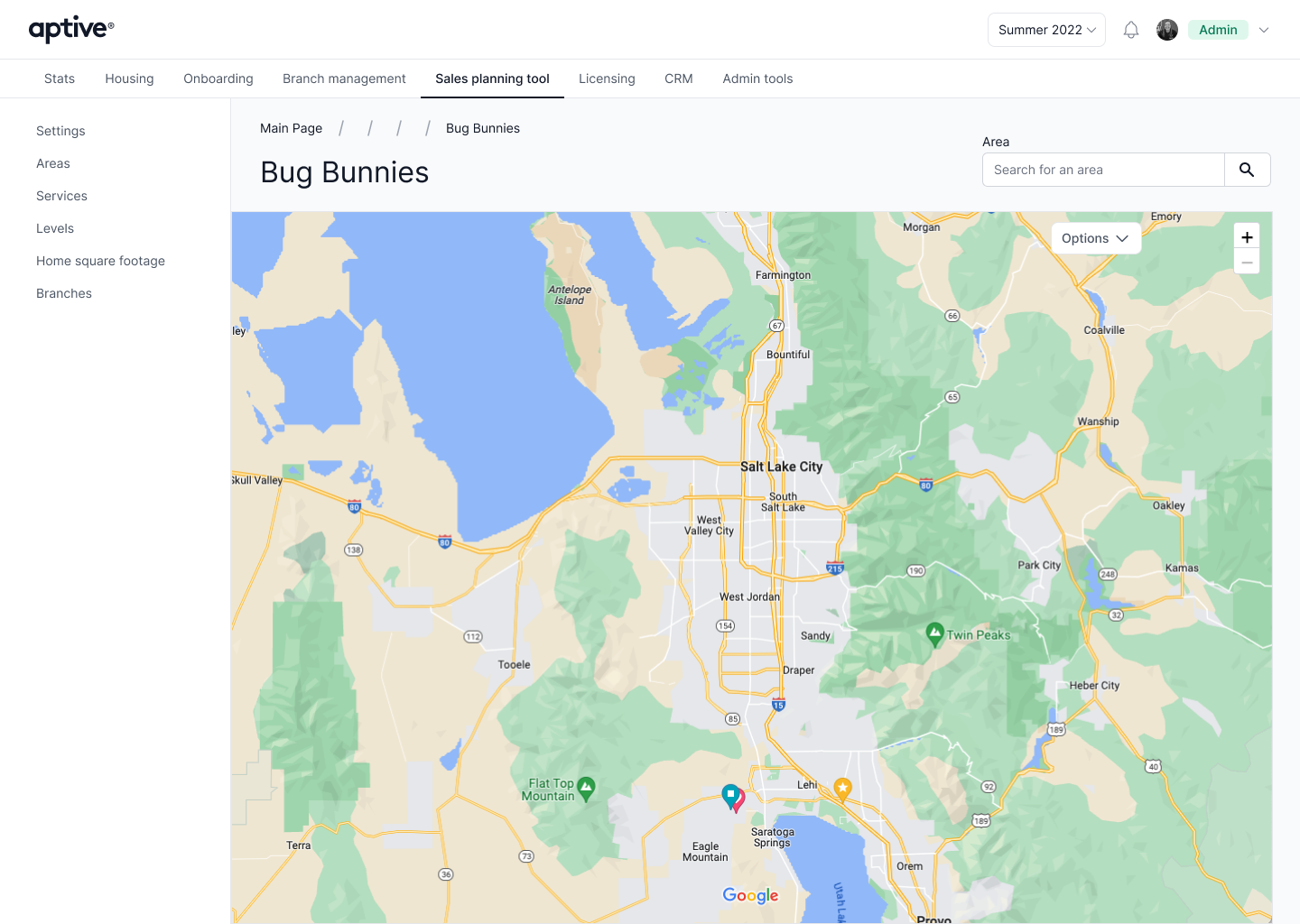
The interface had to move from regional opportunity patterns to team territories and then to individual properties. Each scale answered a different question without forcing managers into separate tools.
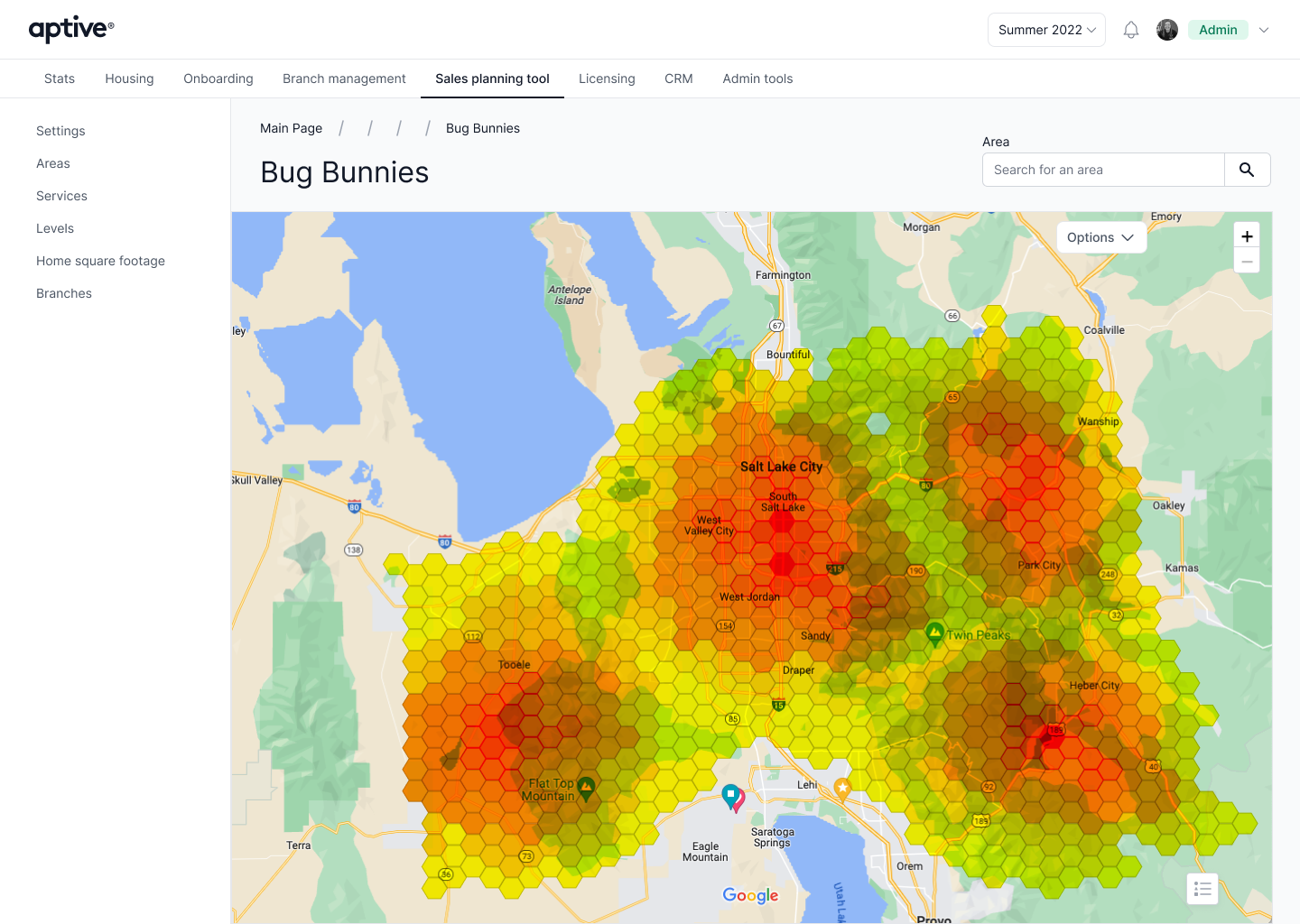
The default map established the operating area and a familiar starting point. From there, leaders could reveal broader opportunity patterns, narrow their focus, and inspect the properties behind a potential assignment.
Opportunity layers
Matching information density to the decision
Property-level data became overwhelming across a large territory, while a broad regional view did not provide enough detail for daily assignments. Sales Operations needed to identify stronger neighborhoods, understand where teams had already worked, and then inspect specific properties.
I designed progressive map layers that moved from opportunity density to property detail as managers changed zoom and planning context. Regional affluence data provided one signal of where households were more likely to afford the service.
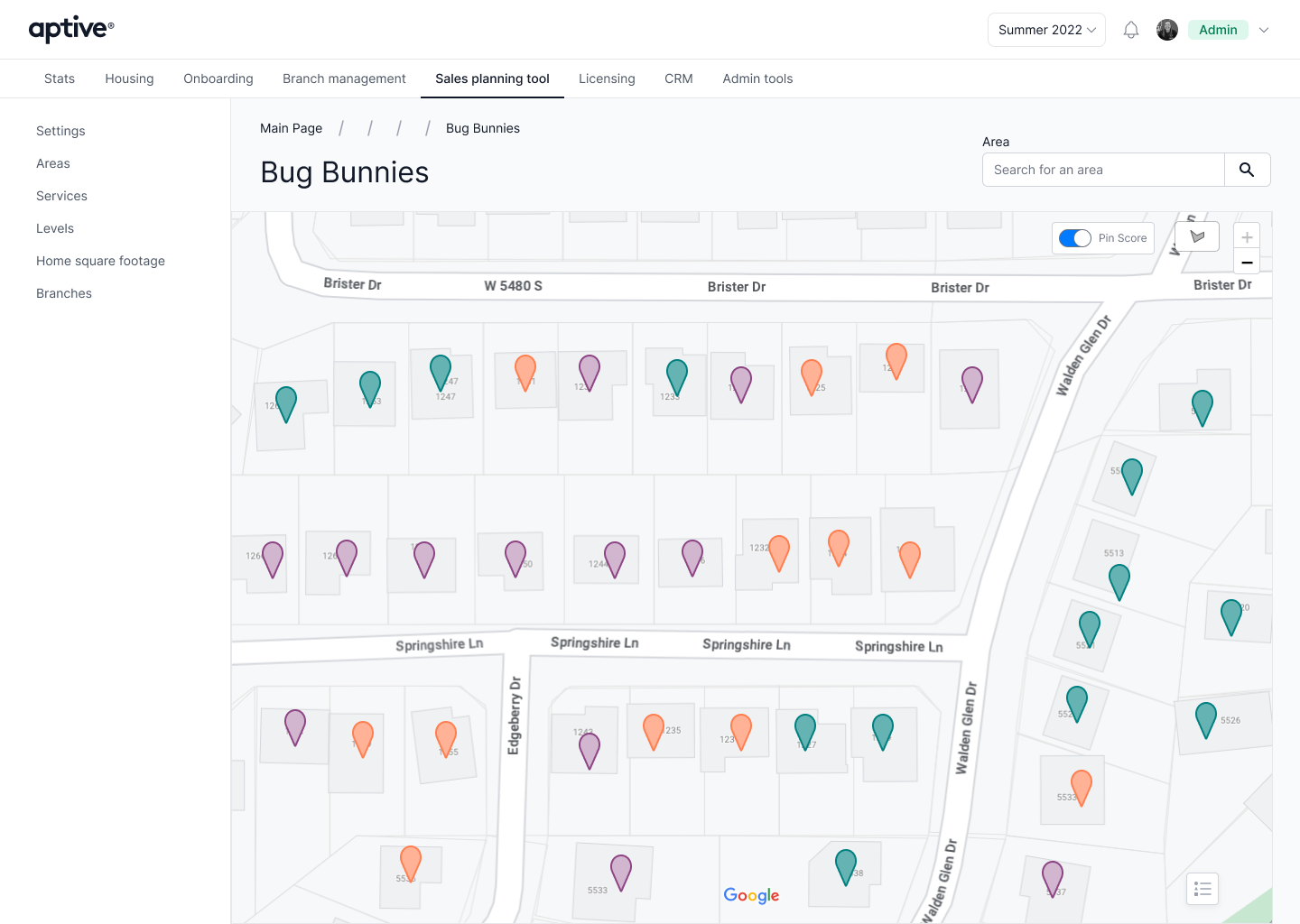
The interface revealed complexity when it became useful instead of displaying every data point at once.
Rep ownership
Making assignments visible and directly filterable
Team leaders needed to understand which polygons belonged to which reps and isolate an individual’s work without comparing the map against a separate roster.
I connected the rep list to the geographic view so selecting one or more people displayed only their assigned polygons. The roster became a planning control, keeping ownership visible in the same context where managers evaluated coverage.
This supported faster conversations about gaps, overlap, and the representatives most relevant to a territory decision.
Territory editing
Designing around real geographic boundaries
Fixed clusters did not give leaders enough control to shape territories around the areas they actually needed to assign. Adjustable borders, however, required Product and Data to support spatial queries rather than relying only on existing cluster IDs.
I designed a workflow for drawing and adjusting territory boundaries while preserving clear rep ownership. The interaction reflected how teams planned in the field and allowed plans to change as conditions changed.
Territory flexibility depended on both a usable editing model and underlying geographic data that could answer spatial questions reliably.
Outcomes
The planning workflow reached production
I tested the experience during design and reviewed the implementation as it moved through development. The Sales Planning Tool updates were released, and post-release feedback indicated that the planning workflows worked as intended.
Aptive also observed an uptick in sales as leaders gained a better understanding of where to send teams and which reps fit each area. That signal was directionally consistent with the product bet, but I do not have the analysis needed to isolate how much of the increase came from this tool.
Release feedback was positive but qualitative. The sales increase is an observed business signal, not a causal product measurement.
Reflection
Map interfaces are useful when they support a decision, not merely display data
The most important shift was treating geography, performance, and ownership as one planning workflow. Progressive detail helped the same interface support strategic territory selection and practical day-to-day assignments.
With access to the product data today, I would connect usability testing more directly to planning time, assignment corrections, repeat use, and downstream field performance.
More work at Aptive
Designing across the field-service operation
My broader work included customer communication, account management, employee onboarding, pricing configuration, licensing, dashboards, and CRM operations.